
The debt snowball method is simple to explain. List your debts smallest balance to largest, pay the minimum on everything, and throw every extra dollar at the smallest one. When it's gone, roll its whole payment into the next smallest. Repeat.
Explaining it takes thirty seconds. Tracking it for the next two or three years is where most spreadsheets start to strain.
Here's how to build one by hand, what it actually takes to keep it accurate, and where a calculator built specifically for this earns its keep instead of just being a shortcut.
Set up the debt list first
Before any formulas, list every debt with four columns: name, current balance, minimum payment, and interest rate. The rate doesn't drive the snowball order, but you'll want it later if you ever compare snowball against paying highest-rate debt first.
A small example, three debts:
| Debt | Balance | Minimum |
|---|---|---|
| Store card | $1,200 | $45 |
| Credit card | $2,800 | $70 |
| Car loan | $9,500 | $210 |
Sort by balance, smallest first. That order is the snowball order. Say this household can put $150 a month toward debt beyond the minimums. The store card, the smallest, gets the minimums on everything else plus that extra $150, so $195 a month total.
Track it month by month
Each row after that is one month. For every debt, the new balance is last month's balance, minus whatever was paid that month, adjusted for interest. The target debt (currently the store card) gets its minimum plus the full extra amount. Every other debt gets just its minimum.
That part is genuinely easy to build. It's four or five columns of subtraction, and it works cleanly for as long as the target debt stays the target debt.
Where the formulas start to break
The store card in this example clears in month 7. That's the good news, it's real progress. It's also the moment the spreadsheet needs surgery.
The $195 that was flowing to the store card now needs to flow to the credit card instead, on top of its own $70 minimum. That means the formula in every remaining row of the credit card column has to change, not just this month's. And the store card's own column needs to stop trying to subtract payments from a balance that's already zero.
Do this once and it's a few minutes of careful editing. Do it again when the credit card clears a year or so later, on top of two or three refinances, a new purchase, or an interest rate that changed, and it's easy to see why the tracker eventually stops getting updated at all. Not from a lack of discipline, just from the accumulating cost of maintaining formulas that were only ever designed for the order debts started in, not the order they'll actually clear in.
Shown with sample data for illustration.
What a spreadsheet still won't show you
Even a spreadsheet that's holding together correctly usually stops short of a few things people actually want to know.
A real payoff date. Not "eventually," an actual month and year, given the current balances and the extra amount going in. Getting that requires projecting every remaining row forward, which is exactly the kind of thing formulas are bad at once the roll-over order is involved.
What happens if the extra amount changes. Most trackers are built around one fixed "extra per month" number. Real life doesn't hold still that long, a bonus shows up, a bill grows, and re-running the whole projection by hand isn't something most people do more than once.
0% promotional periods. A balance transfer or a store card with a 0% intro rate that expires in 15 months behaves differently than a normal debt, and a plain spreadsheet has no idea that deadline exists unless you build a whole second set of formulas around it.
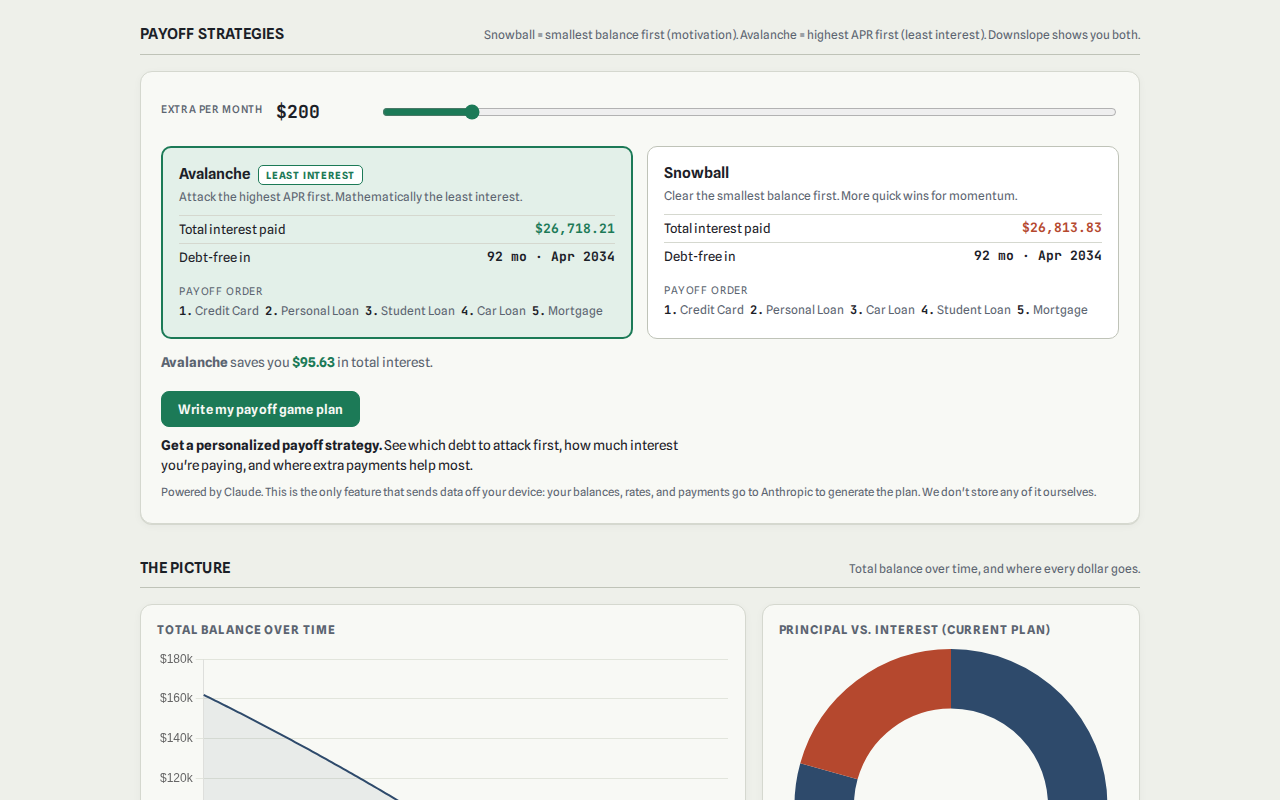
Snowball versus avalanche, side by side. Snowball pays off small balances first for momentum. Avalanche pays off the highest interest rate first to save more in interest. Deciding between them by hand means building two entire trackers and comparing the totals at the end, which is a lot of spreadsheet for a question that's really just "which one fits how I stay motivated."
Build it, or let the tracker keep itself current
None of this means the spreadsheet approach is wrong. Plenty of people build one, keep it current, and pay off real debt with it. The method works regardless of what's running the math.
What tends to happen is that the tracker is accurate on the day it's built, and gets a little further from accurate every month after, especially right around the moment a debt actually gets paid off, which should be the encouraging part.
Downslope Debt Payoff runs the same snowball math this walkthrough just did by hand, but keeps the order current automatically, shows the actual projected payoff date, tracks 0% promo deadlines, and lets you flip between snowball and avalanche to see both without building either one twice.
If you've already got a spreadsheet going, this isn't an argument to abandon it. But the next time a debt on that list hits zero, is rewiring the formulas still a fair trade for the time it takes, or is that the moment you'd rather have something else keep it current for you?